
HP laptop keyboard replacement in patna
HP Laptop Keyboard Not Working: Causes, Fixes & When to Replace It
A non-working keyboard on your HP laptop can bring your work to a complete stop. Whether certain keys have stopped responding or the entire keyboard isn’t working, it can be frustrating—especially if you depend on your laptop for daily tasks.
The good part is that not all keyboard issues are serious. Some can be fixed with simple troubleshooting, while others may require professional help like hp laptop keyboard replacement in patna. In this guide, we’ll walk you through everything you need to know.
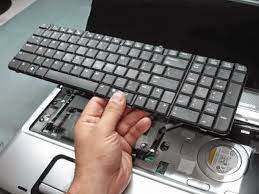
Common Reasons Why HP Laptop Keyboard Stops Working
Before jumping to a solution, it’s important to understand what might be causing the issue.
1. Dust or Debris Under Keys
Over time, dust and small particles can get stuck under the keys, affecting their functionality.
2. Driver Issues
Outdated or corrupted keyboard drivers can stop the keyboard from responding.
3. Software Glitches
Temporary system errors or recent updates may cause keyboard problems.
4. Liquid Damage
Spilled water or any liquid can damage the internal keyboard circuit.
5. Hardware Failure
If the keyboard is physically damaged, replacement may be necessary.
Easy Fixes You Can Try First
Before going for repair, try these simple steps:
Restart Your Laptop
A quick restart can fix temporary issues.
Clean the Keyboard
Use a soft brush or compressed air to remove dust and debris.
Update Keyboard Drivers
- Go to Device Manager
- Locate Keyboards
- Update or reinstall the driver
Check External Keyboard
Connect a USB keyboard. If it works, your laptop keyboard may have a hardware issue.
Run Troubleshooter
Windows troubleshooting tools can detect and fix basic problems.
When Basic Fixes Don’t Work
If your keyboard still isn’t working after trying these solutions, the issue is likely hardware-related. In such cases, it’s best to seek professional help like hp laptop keyboard replacement in patna.
Trying to fix hardware issues on your own can sometimes cause more damage, so it’s safer to consult experts.
Signs You Need Keyboard Replacement
Here are clear signs that you should consider hp laptop keyboard replacement in patna:
- Multiple keys are not working
- Keys respond incorrectly or type automatically
- Keyboard stops working completely
- Physical damage or broken keys
- Keyboard not detected by the system
Ignoring these signs can worsen the issue over time.
Benefits of Professional Repair Services
Choosing a professional service ensures proper handling of your device.
- Accurate diagnosis of the problem
- Use of quality replacement parts
- Safe installation process
- Long-lasting results
Opting for hp laptop keyboard replacement in patna ensures your laptop is repaired efficiently and safely.
Cost and Time for Replacement
The cost depends on:
- Your HP laptop model
- Type of keyboard
- Level of damage
Most keyboard replacements are affordable and can be completed within a few hours. Reliable centers offering hp laptop keyboard replacement in patna provide quick service with transparent pricing.
Tips to Avoid Keyboard Issues
Once your keyboard is fixed, follow these tips:
- Keep your keyboard clean
- Avoid eating or drinking near your laptop
- Handle your laptop carefully
- Keep drivers updated
- Use a keyboard cover if possible
These habits can help extend your keyboard’s life.
FAQs (Latest)
1. Why is my HP laptop keyboard not typing?
It could be due to driver issues, dust, or hardware failure. Start with basic troubleshooting.
2. Can I fix my laptop keyboard at home?
Yes, for minor issues like dust or driver problems. Hardware issues need professional repair.
3. How much does keyboard replacement cost?
It depends on the model, but it is generally affordable.
4. How long does keyboard replacement take?
Usually a few hours to one day.
5. Where can I get reliable keyboard repair service?
You can choose trusted technicians offering hp laptop keyboard replacement in patna for fast and safe solutions.
Final Thoughts
A faulty keyboard can disrupt your work, but it’s often easy to fix if handled on time. Start with simple solutions, and if the problem continues, don’t hesitate to seek expert help.
Choosing hp laptop keyboard replacement in patna ensures your laptop gets the right care and returns to working condition quickly and efficiently.