
hp laptop hard disk replacement in patna
HP Laptop Hard Disk Issue – Causes, Signs & Best Solutions
If your HP laptop has suddenly become slow, unresponsive, or is showing unusual errors, there’s a good chance your hard disk might be the problem. Hard disk issues are quite common, especially in older laptops, and they can affect both performance and data safety.
Instead of ignoring the warning signs, it’s important to act early. In many cases, timely repair or hp laptop hard disk replacement in patna can save your important data and restore your laptop’s performance.
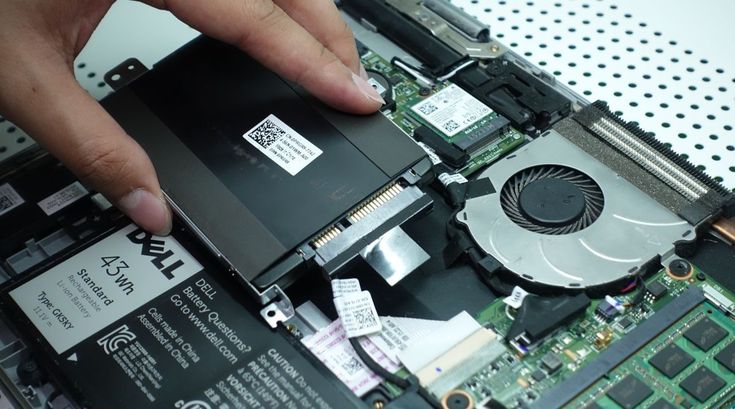
What Causes Hard Disk Issues in HP Laptops?
1. Physical Damage
Dropping your laptop or sudden impact can damage the internal components of the hard disk.
2. Wear and Tear
Hard disks have moving parts, and over time they naturally wear out, especially after years of use.
3. Overheating
Excess heat can damage the hard disk and reduce its lifespan.
4. Power Surges
Unexpected power cuts or voltage fluctuations can affect the hard drive’s functionality.
5. Bad Sectors
Over time, certain parts of the disk become unreadable, leading to data loss and system crashes.
If you notice any of these issues, considering hp laptop hard disk replacement in patna at the right time can prevent bigger problems.
Warning Signs of a Failing Hard Disk
-
Laptop becoming extremely slow
-
Frequent system crashes or freezes
-
Clicking or unusual noises from the laptop
-
Files getting corrupted or disappearing
-
Operating system failing to load
These are clear indicators that your hard disk may be failing and needs immediate attention.
What You Can Do Before Replacing the Hard Disk
Run Disk Check
Use built-in tools to scan for errors and fix minor issues.
Free Up Storage
Sometimes a full disk can slow down performance. Delete unnecessary files.
Backup Your Data
Before the problem gets worse, make sure to back up all important files.
Scan for Viruses
Malware can also affect disk performance, so run a full system scan.
If these steps don’t solve the issue, then going for hp laptop hard disk replacement in patna is often the best option.
Why You Should Consider Hard Disk Replacement
Replacing a faulty hard disk can:
-
Improve overall performance
-
Prevent data loss
-
Extend the life of your laptop
-
Allow upgrade to faster storage like SSD
Professional technicians offering hp laptop hard disk replacement in patna can help you choose the right storage option and install it safely.
HDD vs SSD – What Should You Choose?
HDD (Hard Disk Drive)
-
More affordable
-
Larger storage capacity
-
Slower performance
SSD (Solid State Drive)
-
Faster speed and performance
-
No moving parts (more durable)
-
Slightly more expensive
If you want better speed and performance, upgrading to an SSD during hp laptop hard disk replacement in patna is a smart investment.
Tips to Maintain Your Hard Disk
-
Avoid sudden shocks or drops
-
Keep your laptop cool and ventilated
-
Regularly clean unnecessary files
-
Keep backups of important data
-
Use antivirus software
These habits can help extend the life of your storage device.
FAQs (Frequently Asked Questions)
1. How do I know if my hard disk is failing?
Slow performance, unusual noises, and frequent crashes are common signs.
2. Can a hard disk be repaired instead of replaced?
Minor issues can be fixed, but in most cases, replacement is recommended.
3. How much does hard disk replacement cost?
The cost depends on the type (HDD or SSD) and storage capacity.
4. Will I lose my data during replacement?
If not backed up, yes. Always back up your data before replacement.
5. Where can I get reliable service in Patna?
You can find trusted professionals offering hp laptop hard disk replacement in patna for safe and efficient service.
Conclusion
A failing hard disk can slow down your laptop and put your important data at risk. Recognizing the early signs and taking timely action can save you from bigger issues.
If your HP laptop is showing consistent problems, don’t wait too long. Opting for professional hp laptop hard disk replacement in patna can bring your device back to life and ensure smooth performance for years to come.