
HP Authorised Service Center In Patna
HP Laptop Not Turning On? Causes and Fixes Explained by Experts
An HP laptop that refuses to turn on can instantly disrupt your work, studies, or daily routine. Many users panic and assume the laptop is completely dead, but in reality, this problem is often caused by small power-related or hardware issues that can be fixed with the right steps. This article is written in a practical, easy-to-follow way so that you can try basic solutions yourself before visiting HP Authorised Service Center In Patna.
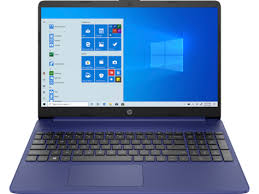
Common Signs When an HP Laptop Does Not Turn On
-
Power button is pressed but nothing happens
-
Charging light is on, but the laptop stays off
-
Fan spins briefly and stops
-
Laptop turns on only sometimes
-
No HP logo or display appears
These symptoms help identify whether the issue is related to power supply, internal components, or the motherboard.
Main Reasons Why HP Laptop Fails to Power On
Understanding the root cause saves time and money:
-
Fully drained or faulty battery
-
Damaged charger or loose power cable
-
Static electricity buildup inside the laptop
-
Loose RAM or internal connection
-
BIOS corruption
-
Motherboard power IC problem
Technicians often observe that many laptops brought to HP Authorised Service Center In Patna have simple power or connection issues rather than major failures.
Step-by-Step Fixes You Can Try at Home
1. Perform a Hard Reset
This clears residual static electricity that blocks power flow.
-
Turn off the laptop
-
Disconnect the charger
-
Remove the battery (if removable)
-
Press and hold the power button for 30–40 seconds
-
Connect only the charger and try turning it on
This single step solves many “not turning on” complaints.
2. Check the Charger and Power Source
-
Try a different wall socket
-
Check if the charger light is glowing
-
Inspect the cable for bends or cuts
-
Test with another compatible HP charger if available
A faulty charger is one of the most common causes.
3. Turn On Laptop Without Battery
Remove the battery and connect only the charger.
If the laptop starts, the battery needs replacement, not the entire laptop.
4. Reseat the RAM
Loose RAM can stop the laptop from starting.
-
Switch off and unplug the laptop
-
Open the back panel carefully
-
Remove the RAM and reinsert it firmly
-
Restart the laptop
This is a frequent fix recommended by experts at HP Authorised Service Center In Patna.
5. Check if It’s a Display Issue
Sometimes the laptop is on, but the screen is not.
-
Look closely for faint light on the display
-
Connect the laptop to an external monitor
-
If the external display works, the screen or cable may be faulty
When the Issue Is Serious
If none of the above methods work, the issue may involve:
-
Faulty power button circuit
-
Motherboard power IC failure
-
Short circuit due to liquid damage or overheating
In such cases, professional diagnosis is important. Visiting HP Authorised Service Center In Patna ensures the problem is identified correctly and repaired safely.
Why Professional Repair Matters
Random trial-and-error repairs can worsen the damage. Trained technicians use proper tools to test voltage, components, and motherboard health. This is why many users trust HP Authorised Service Center In Patna for long-term and reliable solutions instead of temporary fixes.
Tips to Prevent This Issue in the Future
-
Avoid force shutdowns
-
Use original or certified chargers
-
Keep laptop vents clean to prevent overheating
-
Do not ignore charging or power warning signs
Good handling habits can significantly increase your laptop’s lifespan.
Final Thoughts
An HP laptop not turning on does not always mean expensive repairs. Many problems are related to power supply, battery, or internal connections and can be fixed with simple troubleshooting. If the issue continues or you suspect internal damage, getting expert help from HP Authorised Service Center In Patna is the safest choice to protect your laptop and data.
Frequently Asked Questions (FAQ)
Q1. Why does my HP laptop not turn on even when charging light is on?
This usually indicates battery failure, RAM issues, or motherboard power problems.
Q2. Can an HP laptop be repaired if it shows no power at all?
Yes, in many cases it can be repaired unless the motherboard is severely damaged.
Q3. Is this issue related to software?
Most “not turning on” problems are hardware or power-related, not software issues.
Q4. How long does professional repair usually take?
Minor issues can be fixed the same day, while motherboard repairs may take 1–2 working days.
Q5. Should I keep pressing the power button repeatedly?
No. Repeated attempts can cause further damage. Proper diagnosis is recommended.