
HP laptop touchpad repair in patna
HP Laptop Touchpad Not Working? Causes, Fixes & Repair Solutions
A laptop touchpad is one of the most essential components for smooth navigation. When it suddenly stops working, it can be frustrating—especially if you rely on your laptop for daily tasks. Many users face this issue with HP laptops, but the good news is that most touchpad problems can be fixed easily. If the issue persists, you may need professional hp laptop touchpad repair in patna for a reliable solution.
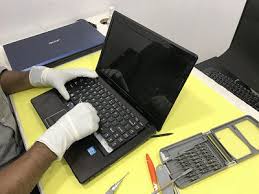
Common Reasons Why HP Laptop Touchpad Stops Working
Before jumping to conclusions, it’s important to understand the possible causes. Touchpad issues can occur due to both software and hardware problems.
Some common reasons include:
- Disabled touchpad settings
- Outdated or corrupted drivers
- Accidental key press (function key lock)
- Windows update glitches
- Hardware damage or internal faults
In many cases, users panic and assume the worst, but simple troubleshooting steps can often resolve the issue without needing hp laptop touchpad repair in patna.
Quick Fixes You Can Try at Home
1. Check If the Touchpad Is Disabled
Sometimes, the touchpad gets disabled accidentally. Press the function key (like Fn + F7 or similar) to enable it again.
2. Restart Your Laptop
A simple restart can fix temporary glitches affecting the touchpad.
3. Update or Reinstall Drivers
Go to Device Manager and check if the touchpad driver needs updating. If it’s corrupted, uninstall and reinstall it.
4. Enable Touchpad from Settings
Navigate to:
Settings → Devices → Touchpad
Make sure it is turned ON.
5. Disconnect External Mouse
Sometimes, connecting an external mouse disables the touchpad automatically.
If none of these solutions work, it might indicate a deeper issue that requires expert hp laptop touchpad repair in patna.
When It’s a Hardware Problem
If your touchpad is completely unresponsive or behaving erratically even after trying all software fixes, the problem may be hardware-related.
Signs of hardware issues include:
- Touchpad not responding at all
- Random cursor movement
- Physical damage or cracks
- Loose internal connection
In such cases, it’s best not to attempt DIY repairs. Visiting a professional service center for hp laptop touchpad repair in patna ensures proper diagnosis and safe repair.
Why Choose Professional Repair Services?
Getting your laptop repaired by experts offers several advantages:
- Accurate problem diagnosis
- Use of genuine replacement parts
- Safe handling of internal components
- Time-saving and long-term reliability
A trusted technician providing hp laptop touchpad repair in patna can quickly restore your laptop’s functionality without risking further damage.
Tips to Prevent Touchpad Issues in the Future
Prevention is always better than repair. Here are some simple tips to keep your touchpad working smoothly:
- Keep your laptop clean and dust-free
- Avoid spilling liquids on the device
- Regularly update drivers and system software
- Use a protective cover or case
- Handle your laptop carefully
These small steps can help you avoid frequent visits for hp laptop touchpad repair in patna.
Conclusion
A non-working touchpad can disrupt your workflow, but in most cases, the issue is fixable with simple troubleshooting. However, if the problem is related to hardware, professional repair is the safest option. Choosing a reliable service for hp laptop touchpad repair in patna ensures your device is handled properly and restored to its best condition.
FAQs
1. Why is my HP laptop touchpad not working suddenly?
It could be due to disabled settings, outdated drivers, or temporary system glitches.
2. How do I enable my HP touchpad again?
You can use the function key (Fn + touchpad key) or enable it from system settings.
3. Can I fix the touchpad issue myself?
Yes, if it’s a software issue. For hardware problems, professional repair is recommended.
4. How much does touchpad repair cost?
The cost depends on the issue. Minor fixes are cheaper, while hardware replacement may cost more.
5. Is it better to repair or replace the touchpad?
If the damage is minor, repair is enough. If it’s severely damaged, replacement is the better option.