
HP Laptop Service Center in Patna
HP Laptop USB Ports Not Working – Common Causes & Fixes
USB ports are one of the most frequently used parts of any laptop. Whether it’s a pen drive, external hard disk, mouse, keyboard, or mobile charger, we depend heavily on USB connectivity. So when your HP laptop USB ports stop working, it can seriously disrupt your work.
Before you panic, understand that this problem is quite common and in many cases can be fixed easily. In this guide, we’ll explain the common causes, practical troubleshooting steps, and when you should visit a professional HP Laptop Service Center in Patna for proper repair.
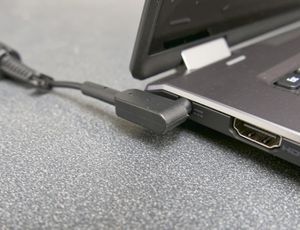
Common Causes of HP Laptop USB Ports Not Working
USB issues can occur due to both software and hardware problems. Here are the most common reasons:
1. Outdated or Corrupted USB Drivers
Sometimes Windows updates or driver conflicts can disable USB ports.
2. Power Supply Issues
Insufficient power supply to USB ports can cause devices not to detect.
3. Disabled USB Ports in Device Manager
USB ports may be disabled accidentally in system settings.
4. Physical Damage
Dust, bent pins, or loose internal connections can stop ports from functioning.
5. Motherboard or USB IC Failure
If none of the ports work, the issue could be related to the motherboard circuit. In such cases, inspection at a trusted HP Laptop Service Center in Patna is recommended.
Step-by-Step Fixes You Can Try
1. Restart Your Laptop
A simple restart can resolve temporary glitches affecting USB detection.
2. Check the USB Device
Before assuming your laptop is the problem:
-
Try the USB device on another computer.
-
Use a different USB device on your laptop.
This helps confirm whether the issue is with the device or the port.
3. Update or Reinstall USB Drivers
Follow these steps:
-
Open Device Manager.
-
Expand “Universal Serial Bus Controllers.”
-
Right-click and update drivers.
-
If not working, uninstall and restart the laptop.
Windows will automatically reinstall drivers.
If driver reinstallation doesn’t fix the issue, consider visiting an experienced HP Laptop Service Center in Patna for deeper diagnosis.
4. Disable USB Power Saving Option
Windows sometimes turns off USB ports to save power.
-
Go to Device Manager.
-
Open USB Root Hub properties.
-
Uncheck “Allow the computer to turn off this device to save power.”
Restart and test again.
5. Clean the USB Ports
Dust accumulation can block proper connection.
-
Turn off the laptop.
-
Use compressed air to clean ports.
-
Avoid inserting sharp objects inside.
If ports feel loose or physically damaged, professional repair from a reliable HP Laptop Service Center in Patna is the safest option.
Signs You Need Professional Repair
You should seek expert help if:
-
All USB ports stop working at once.
-
Ports are physically damaged.
-
Laptop shows “Power Surge on USB Port” error.
-
Devices connect and disconnect repeatedly.
-
Burning smell or overheating near ports.
These symptoms may indicate motherboard or USB IC failure, which requires technical tools and skilled repair available at a certified HP Laptop Service Center in Patna.
How to Prevent USB Port Problems
-
Avoid forcefully inserting USB devices.
-
Use original or high-quality accessories.
-
Keep ports clean.
-
Avoid overloading with multiple heavy-power devices.
-
Get periodic maintenance from a trusted HP Laptop Service Center in Patna to ensure internal components remain in good condition.
Frequently Asked Questions (FAQ)
Q1. Why is only one USB port not working?
It could be physical damage or a loose internal connection specific to that port.
Q2. Why does my USB device connect and disconnect repeatedly?
This usually indicates power fluctuation or driver-related issues.
Q3. Can USB ports be repaired or do they need replacement?
In most cases, ports can be replaced individually. If the motherboard is damaged, chip-level repair may be required.
Q4. Is USB port repair expensive?
Cost depends on whether it’s a simple port replacement or motherboard-level repair.
Q5. Should I try to open my HP laptop and fix the USB port myself?
Not recommended. Modern laptops are compact and delicate. Improper handling may cause more damage.
Final Words
HP laptop USB ports not working is a common issue, but the solution depends on the root cause. Always start with basic troubleshooting like driver updates and cleaning. If the issue continues or involves hardware damage, professional repair is the safest choice.
For accurate diagnosis, genuine spare parts, and reliable service, visiting a trusted HP Laptop Service Center in Patna ensures your laptop gets fixed properly without risking further damage.