
HP laptop mic replacement in patna
HP Laptop Mic Not Working – Causes, Fixes & When You Need Replacement
If your HP laptop microphone is not working, it can be frustrating—especially when you rely on it for meetings, online classes, or recordings. Many users face this issue, but the good news is that most microphone problems can be fixed easily. In some cases, however, you may need professional help like hp laptop mic replacement in patna to restore proper functionality.
In this article, we’ll walk you through the common reasons, solutions, and when you should consider getting your laptop microphone repaired or replaced.
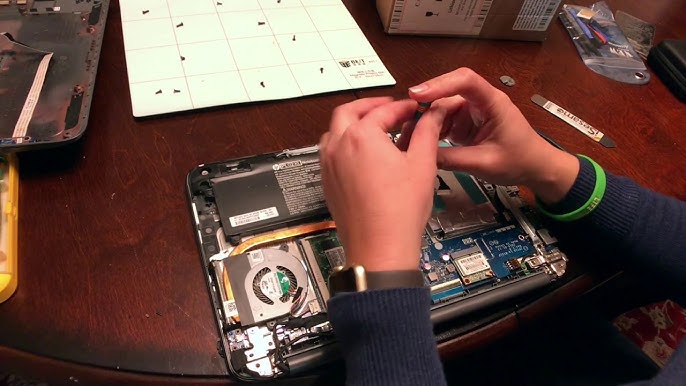
Common Reasons Why HP Laptop Mic Is Not Working
Before jumping to conclusions, it’s important to understand what might be causing the issue:
1. Microphone Muted or Disabled
Sometimes, the mic is simply turned off in system settings or muted accidentally.
2. Outdated or Corrupt Drivers
Audio drivers play a crucial role. If they are outdated or corrupted, your microphone may stop working.
3. Incorrect Sound Settings
If the wrong input device is selected, your laptop may not detect your voice.
4. Hardware Damage
Physical damage or internal wiring issues can lead to complete mic failure. In such cases, you may need hp laptop mic replacement in patna for a permanent solution.
5. App Permissions Issue
Windows privacy settings may block apps from accessing your microphone.
How to Fix HP Laptop Microphone Issues
Try these simple troubleshooting steps before opting for repair:
1. Check Basic Settings
- Go to Sound Settings
- Ensure the correct microphone is selected
- Increase input volume
2. Enable Microphone Access
- Open Settings → Privacy → Microphone
- Allow apps to access the mic
3. Update Audio Drivers
- Open Device Manager
- Update or reinstall audio drivers
4. Run Troubleshooter
- Windows has a built-in audio troubleshooter
- It can automatically detect and fix problems
5. Test with External Mic
- Plug in a headphone mic
- If it works, your internal mic may be faulty
If none of these solutions work, there is a high chance of hardware failure, and you should consider hp laptop mic replacement in patna.
When You Should Consider Mic Replacement
You should go for a replacement if:
- Your mic is not detected at all
- Sound is extremely low or distorted
- It stopped working after physical damage
- Troubleshooting did not fix the issue
Professional technicians can diagnose the issue properly and suggest whether repair or hp laptop mic replacement in patna is the best option.
Benefits of Professional Mic Replacement
Getting your mic replaced by experts ensures:
- Proper diagnosis of internal issues
- Use of compatible parts
- Long-lasting performance
- Safe handling of your device
If you’re located nearby, choosing a trusted service for hp laptop mic replacement in patna can save time and prevent further damage.
Tips to Avoid Microphone Issues in Future
- Avoid dropping or hitting your laptop
- Keep your system updated
- Use antivirus to prevent software corruption
- Clean mic area regularly
- Avoid moisture exposure
Taking care of your laptop can reduce the need for frequent repairs like hp laptop mic replacement in patna.
Conclusion
A non-working microphone on your HP laptop can be caused by simple settings issues or serious hardware faults. While many problems can be fixed at home, some situations require expert intervention. If your microphone still doesn’t work after trying all solutions, it’s best to go for hp laptop mic replacement in patna to restore your device completely.
FAQs
Q1. Why is my HP laptop microphone not working?
It could be due to disabled settings, outdated drivers, or hardware damage.
Q2. How do I test my laptop microphone?
You can use the Sound Settings in Windows or online mic test tools.
Q3. Can a microphone be repaired instead of replaced?
Yes, minor issues can be repaired, but severe damage may require replacement.
Q4. How much does HP laptop mic replacement cost?
The cost depends on the model and service provider.
Q5. Is it safe to replace a laptop microphone?
Yes, if done by professionals, it is completely safe and effective.
Q6. How long does mic replacement take?
Usually, it takes a few hours to a day depending on the issue.