
HP Care in Patna
If you own an HP laptop, desktop, or printer in Patna and are searching for reliable, genuine, and affordable repair support, you have landed in the right place. HP Care in Patna is dedicated to providing professional, doorstep-friendly, and warranty-backed service solutions for all HP devices. Whether it’s a hardware malfunction, software glitch, screen replacement, battery issue, or a complete system overhaul, HP Care in Patna ensures your device gets back to peak performance without unnecessary delays.
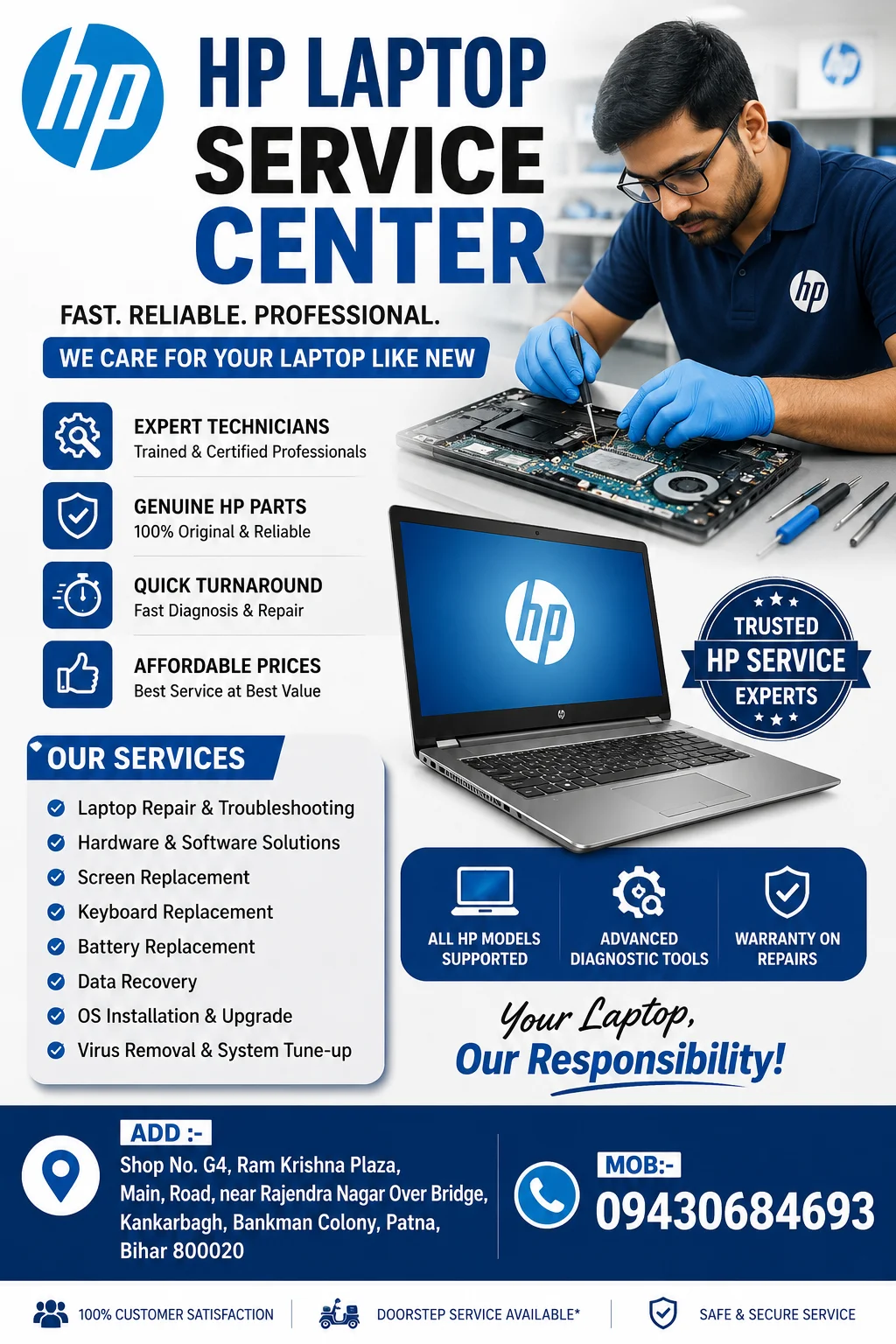
In this article, we cover everything you need to know about HP Care services in Patna — from the range of repairs offered to why choosing an authorized service center matters, along with tips on maintaining your HP device for long-term performance.
Why Choose HP Care in Patna?
Patna, being one of the fastest-growing cities in Bihar, has seen a significant rise in laptop and desktop usage among students, professionals, and businesses. With this growth comes the need for a dependable service provider that understands both the technical and practical needs of customers. Here’s why HP Care in Patna stands out:
- Genuine HP Parts – Only original components are used for repairs, ensuring longevity and performance.
- Certified Technicians – Trained engineers who specialize in HP hardware and software diagnostics.
- Quick Turnaround Time – Most common issues are resolved within 24–48 hours.
- Transparent Pricing – No hidden charges; customers receive a clear cost estimate before any repair begins.
- Warranty Support – In-warranty devices are serviced as per HP’s official guidelines and policies.
- Doorstep Pickup & Drop – Convenient service options for customers who cannot visit the center in person.
Services Offered Under HP Care in Patna
1. Laptop Repair Services
From motherboard issues to keyboard replacement, HP Care in Patna handles all types of laptop repairs including:
- Screen and display replacement
- Battery replacement and power issues
- Keyboard and touchpad repair
- Overheating and cooling fan problems
- RAM and SSD/HDD upgrades
2. Desktop Repair Services
For HP desktop users, common services include:
- Motherboard diagnostics and repair
- Power supply replacement
- Monitor troubleshooting
- Component upgrades (RAM, storage, graphics card)
3. Software Troubleshooting
- Operating system installation and reinstallation
- Virus and malware removal
- Driver updates and system optimization
- Data backup and recovery assistance
4. Printer Service and Support
Many HP Care centers in Patna also support HP printers, offering:
- Cartridge and ink system troubleshooting
- Paper jam and mechanical repairs
- Wireless connectivity setup
- Print quality calibration
5. Annual Maintenance Contracts (AMC)
For businesses and institutions relying on multiple HP devices, AMC plans provide scheduled maintenance, priority support, and cost savings over individual repair visits.
Common HP Device Issues Faced by Users in Patna
Understanding common problems can help users identify when it’s time to visit an HP Care center:
- Slow Performance – Often caused by outdated drivers, insufficient RAM, or malware.
- Battery Draining Quickly – Usually linked to battery health degradation over time.
- Overheating – Dust accumulation or faulty cooling fans are frequent culprits.
- Screen Flickering or Damage – Can result from loose connections or physical damage.
- Boot Failures – Often related to corrupted operating systems or hardware faults.
If you’re experiencing any of these issues, it’s advisable to consult a certified HP Care center in Patna rather than attempting DIY fixes, which can sometimes void warranties or worsen the problem.
How to Book an HP Care Service in Patna
Booking a service appointment is simple:
- Visit the Official HP Support Website or call the regional service center in Patna.
- Describe Your Issue – Provide details about your device model and the problem you’re facing.
- Choose Service Mode – Opt for walk-in service, doorstep pickup, or remote diagnosis (for software issues).
- Get a Cost Estimate – For out-of-warranty repairs, technicians will share an estimate before starting work.
- Track Your Repair Status – Most centers provide updates via SMS, call, or online tracking tools.
Tips to Extend the Life of Your HP Device
- Clean the vents and keyboard regularly to prevent dust buildup.
- Avoid using the laptop on soft surfaces like beds, which can block airflow.
- Keep your operating system and drivers updated.
- Use a surge protector to safeguard against power fluctuations.
- Schedule periodic maintenance checks, especially for business-use devices.
Why Local Service Matters: Benefits of Choosing HP Care in Patna Over Generic Repair Shops
While local, unauthorized repair shops may offer cheaper quotes, they often use duplicate parts that can damage your device further or void your warranty entirely. Choosing an authorized HP Care center in Patna ensures:
- Compliance with HP’s official service standards
- Protection of your warranty terms
- Long-term reliability of repairs
- Access to genuine spare parts and updated firmware
Frequently Asked Questions (FAQs)
Q1. How do I find the nearest HP Care center in Patna? You can locate the nearest authorized service center through HP’s official website by entering your city and pin code, or by contacting HP customer support directly.
Q2. Is doorstep service available for HP laptops in Patna? Yes, many authorized service partners offer doorstep pickup and drop facilities, especially for customers unable to visit the center physically.
Q3. How long does a typical HP laptop repair take? Most minor repairs are completed within 24–48 hours, while complex issues involving part replacements may take slightly longer depending on part availability.
Q4. Does HP Care in Patna repair out-of-warranty devices? Yes, out-of-warranty devices are serviced as well, with charges applicable based on the nature of the repair and parts required.
Q5. Can I get my HP printer serviced at the same center? Most HP Care centers handle both computing devices and printers, though it’s recommended to confirm printer support availability beforehand.
Conclusion
For residents and businesses in Patna relying on HP laptops, desktops, or printers, having access to a trusted, authorized service center is essential for maintaining device performance and protecting your investment. HP Care in Patna combines certified expertise, genuine parts, and customer-friendly service options to ensure your devices remain in top working condition. Whether it’s a minor software glitch or a major hardware repair, choosing the right service partner makes all the difference in keeping your technology running smoothly.