
hp laptop usb port replacement in patna
HP Laptop USB Port Not Working – Causes, Fixes & When to Replace
USB ports are one of the most essential parts of any laptop. Whether it’s connecting a pen drive, mouse, keyboard, or external hard disk, we rely on USB ports every day. So when your HP laptop USB port stops working, it can quickly become frustrating.
This issue can occur due to both minor and serious reasons. While some problems can be fixed easily at home, others may require professional help. If the issue continues, opting for hp laptop usb port replacement in patna can be the most reliable solution.
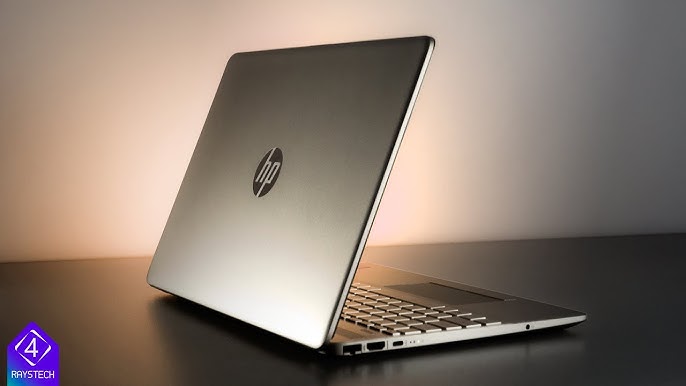
Common Reasons Why USB Port Stops Working
1. Physical Damage
Frequent plugging and unplugging can loosen or damage the USB port over time.
2. Dust and Dirt
Dust accumulation inside the port can block proper connection.
3. Driver Issues
Sometimes outdated or corrupted drivers can prevent the USB port from functioning.
4. Power Supply Problems
USB ports may stop working if there’s an issue with power distribution inside the laptop.
5. Motherboard Fault
In some cases, the USB port is connected to the motherboard, and any fault there can affect performance.
If you’re unsure about the cause, getting expert help for hp laptop usb port replacement in patna can save time and prevent further damage.
Signs Your USB Port Needs Attention
-
USB devices not being detected
-
Loose connection while plugging in devices
-
Device disconnecting frequently
-
Port physically damaged or bent
-
Multiple USB ports not working
These signs indicate that your laptop may need repair or replacement.
Simple Fixes You Can Try at Home
Restart Your Laptop
Sometimes a simple restart can fix temporary glitches.
Check Device Manager
Update or reinstall USB drivers to fix software-related issues.
Try Another USB Device
This helps you confirm whether the issue is with the port or the device.
Clean the USB Port
Use a soft brush or compressed air to remove dust.
If none of these solutions work, it’s best to go for professional hp laptop usb port replacement in patna.
When Should You Replace the USB Port?
If the port is physically damaged or not responding even after trying all basic fixes, replacement becomes necessary.
Professional technicians can:
-
Replace damaged USB ports safely
-
Fix internal circuit connections
-
Ensure proper functioning after repair
Choosing a trusted service for hp laptop usb port replacement in patna ensures long-lasting results.
Tips to Prevent USB Port Issues
-
Avoid forcing USB devices into the port
-
Plug and unplug devices gently
-
Keep ports clean and dust-free
-
Use high-quality accessories
-
Avoid using damaged cables
These simple habits can help extend the life of your USB ports.
FAQs (Frequently Asked Questions)
1. Why is my HP laptop not detecting USB devices?
It could be due to driver issues, dust, or a damaged USB port.
2. Can a USB port be repaired?
Yes, minor issues can be repaired, but severe damage may require replacement.
3. How much does USB port replacement cost?
The cost depends on the extent of damage and laptop model.
4. How long does it take to fix a USB port?
Most repairs or replacements can be done within a few hours.
5. Where can I get reliable repair service in Patna?
You can find trusted professionals offering hp laptop usb port replacement in patna for quick and efficient service.
Conclusion
A non-working USB port can disrupt your daily tasks, but it doesn’t always mean a major problem. By identifying the cause and trying basic fixes, you may be able to resolve the issue quickly.
However, if the problem persists, don’t delay. Choosing professional hp laptop usb port replacement in patna can restore your laptop’s functionality and ensure smooth performance going forward.