
HP laptop touchpad repair in patna
HP Laptop Touchpad Not Working – Causes, Fixes, and Repair Guide
The touchpad is one of the most important parts of a laptop because it allows users to control the cursor without using an external mouse. When the touchpad stops working, it can make the laptop difficult to use and affect daily tasks. Many HP laptop users face this issue due to software errors, driver problems, or hardware faults. In such situations, professional hp laptop touchpad repair in patna can help restore the laptop to proper working condition.
HP laptops are widely used for work, study, and business because of their reliability and performance. However, over time, some users may notice that the touchpad becomes unresponsive, moves the cursor randomly, or stops functioning completely. Instead of ignoring the problem, it is always better to diagnose the issue early or consult experts for hp laptop touchpad repair in patna to prevent further complications.
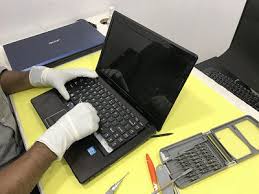
Common Reasons Why HP Laptop Touchpad Stops Working
There are several reasons why a touchpad may stop functioning properly. Some issues are related to software settings, while others may involve hardware damage.
• Touchpad accidentally disabled from keyboard shortcut
• Outdated or corrupted touchpad drivers
• Windows update conflicts
• Dust or liquid damage inside the laptop
• Internal hardware or motherboard issues
• Faulty touchpad cable connection
If these issues are not resolved through simple troubleshooting, professional hp laptop touchpad repair in patna may be required.
Basic Troubleshooting You Can Try
Before visiting a repair center, users can try a few simple steps to check whether the issue is software-related.
• Restart the laptop to refresh system settings
• Check if the touchpad is disabled using function keys
• Update or reinstall touchpad drivers
• Check touchpad settings in Windows device settings
• Connect an external mouse to confirm the issue
If the touchpad still does not work after trying these steps, the problem may be hardware-related. In such cases, professional hp laptop touchpad repair in patna is recommended.
Professional Touchpad Repair Services
When the touchpad has hardware damage or internal connection problems, it requires proper inspection by trained technicians. Repair experts can open the laptop safely, examine the touchpad components, and repair or replace the damaged parts.
For users looking for reliable hp laptop touchpad repair in patna, HP Care Patna is known for providing professional laptop repair services. Their technicians are experienced in diagnosing HP laptop issues and fixing touchpad problems with proper tools and expertise.
Choosing professional technicians ensures that the laptop is repaired safely without damaging other internal components.
Why Professional Repair is Important
Trying to repair laptop hardware without proper knowledge can sometimes make the problem worse. Professional service centers follow proper diagnostic procedures and use the right equipment.
Benefits of professional repair include:
• Accurate diagnosis of touchpad problems
• Safe repair without damaging internal parts
• Faster and reliable service
• Long-term solution for touchpad issues
• Expert hp laptop touchpad repair in patna
Many laptop users trust HP Care Patna because they provide reliable service and proper solutions for touchpad issues and other laptop problems.
If your HP laptop touchpad is not responding or working properly, getting expert help for hp laptop touchpad repair in patna can save time and restore your device efficiently.
Frequently Asked Questions (FAQ)
1. Why is my HP laptop touchpad not working?
The touchpad may stop working due to driver issues, disabled touchpad settings, hardware damage, or software conflicts.
2. Can an HP laptop touchpad be repaired?
Yes, in many cases the touchpad can be repaired by fixing internal connections, replacing faulty components, or updating drivers.
3. How long does touchpad repair usually take?
Most touchpad repairs can be completed within a few hours, depending on whether the issue is software or hardware related.
4. Should I replace the touchpad or repair it?
If the touchpad is slightly damaged or has connection issues, repair is usually more affordable than replacement.
5. Where can I get HP laptop touchpad repair in Patna?
You can visit HP Care Patna, which provides professional hp laptop touchpad repair in patna with experienced technicians and proper diagnostic tools.