
hp laptop motherboard repair in patna
No Display but System Running – Complete Guide for HP Laptop Users
Have you ever faced a situation where your HP laptop turns on, the power light is glowing, the fan is running, but the screen remains completely black? This issue is more common than most people think. It creates confusion because the laptop appears to be working internally, yet nothing shows on the display.
If you are dealing with this problem, don’t panic. In this detailed guide, we will explain the possible causes, basic troubleshooting steps, and when you should consider professional help. If you are located in Patna and searching for reliable hp laptop motherboard repair in patna, this article will also help you understand when that service becomes necessary.
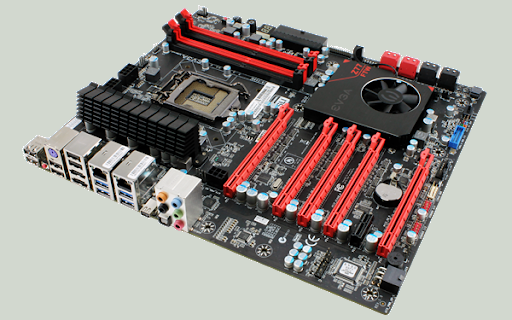
What Does “No Display but System Running” Actually Mean?
When your laptop’s system is running, you may notice:
-
Power LED light is ON
-
Charging light is working
-
Cooling fan sound is audible
-
Hard drive activity light blinking
But the screen shows:
-
Completely black display
-
Blank screen with no HP logo
-
No cursor visible
-
No response even after pressing keys
This clearly indicates that power is reaching the laptop, but the display output is not functioning properly.
Common Reasons Behind This Problem
1. Faulty RAM
Loose or damaged RAM is one of the most common causes. If RAM is not properly connected, the system may power on but fail to show display.
2. Display Panel Damage
The screen itself may be damaged internally, even if there are no visible cracks.
3. Graphics Chip Failure
In some HP models, a faulty graphics chip can prevent the screen from displaying anything.
4. BIOS Corruption
Improper updates or sudden shutdowns may corrupt BIOS settings, leading to no display issues.
5. Motherboard Problem
If none of the above components are faulty, the issue may lie in the motherboard. In such cases, professional hp laptop motherboard repair in patna may be required.
Basic Troubleshooting Steps You Can Try
Before visiting a repair center, try these simple steps:
✔ Hard Reset
-
Remove charger
-
Remove battery (if removable)
-
Press and hold power button for 20–30 seconds
-
Reconnect and start the laptop
✔ Check with External Monitor
Connect your laptop to an external monitor using HDMI or VGA.
If the external display works, the problem is likely with your laptop screen.
✔ Reseat RAM
If you are technically comfortable, remove and reinsert the RAM properly. Loose RAM often causes display failure.
If these steps don’t solve the issue, the problem could be deeper, possibly requiring hp laptop motherboard repair in patna from experienced technicians.
Signs That Indicate Motherboard Damage
You should suspect motherboard issues if:
-
Laptop turns on but screen stays black every time
-
No display even on external monitor
-
Caps Lock key blinking continuously
-
Repeated beeping sound during startup
-
Sudden shutdown before display appears
Motherboard repair is a delicate process and should only be handled by professionals who specialize in hp laptop motherboard repair in patna.
Why You Should Avoid DIY Motherboard Repair
Opening a laptop without proper tools and technical knowledge can:
-
Damage internal circuits
-
Void warranty
-
Create short circuits
-
Increase repair cost
Motherboard contains complex micro-components. Attempting repair at home may worsen the issue. It’s always safer to consult experts offering reliable hp laptop motherboard repair in patna services.
Repair or Replacement – What Is Better?
In many cases, motherboard repair is possible and more cost-effective than full replacement. Skilled technicians can repair damaged circuits, replace faulty chips, or fix short circuits.
However, if the motherboard is severely damaged, replacement might be suggested. A professional technician will diagnose properly before recommending the best solution.
Choosing trusted hp laptop motherboard repair in patna ensures you get genuine parts and proper testing before delivery.
How to Prevent This Issue in Future
-
Avoid overheating (clean cooling fan regularly)
-
Use original charger
-
Do not force shutdown frequently
-
Keep laptop safe from liquid spills
-
Install BIOS updates carefully
Regular maintenance reduces the chances of major hardware failure.
Conclusion
“No display but system running” is a serious but fixable problem. Sometimes it’s just a RAM or screen issue, but in certain cases, the motherboard is responsible. Proper diagnosis is the key to avoiding unnecessary expenses.
If basic troubleshooting does not fix the issue and you are in Patna, consulting a trusted hp laptop motherboard repair in patna service center is the safest decision. Early repair can save both time and money while protecting your valuable data.
Frequently Asked Questions (FAQ)
1. Why is my HP laptop turning on but showing a black screen?
This may happen due to RAM issues, screen damage, graphics failure, BIOS corruption, or motherboard problems.
2. Can this problem be fixed without replacing the motherboard?
Yes, in many cases motherboard repair is possible. Replacement is needed only if the damage is severe.
3. How much does motherboard repair cost?
The cost depends on the model and level of damage. Minor repairs are affordable, while chip-level repairs may cost more.
4. How long does motherboard repair take?
Usually 1–3 working days depending on the complexity of the issue.
5. Is it safe to use the laptop in this condition?
No, continuing to power it on repeatedly may worsen internal damage. It’s better to get it checked by a professional.