
HP Laptop Screen Repair in patna
HP Laptop Blue Screen Error Repair – Causes, Solutions & Expert Help
Seeing a blue screen on your HP laptop can be stressful, especially when it appears suddenly while working on something important. The Blue Screen Error, often called the “Blue Screen of Death,” usually indicates a serious system issue that needs proper attention. Ignoring it may lead to data loss or further hardware damage.
If you are facing this issue and searching for reliable support, professional service centers offering HP Laptop Screen Repair in Patna can diagnose and fix the problem efficiently.
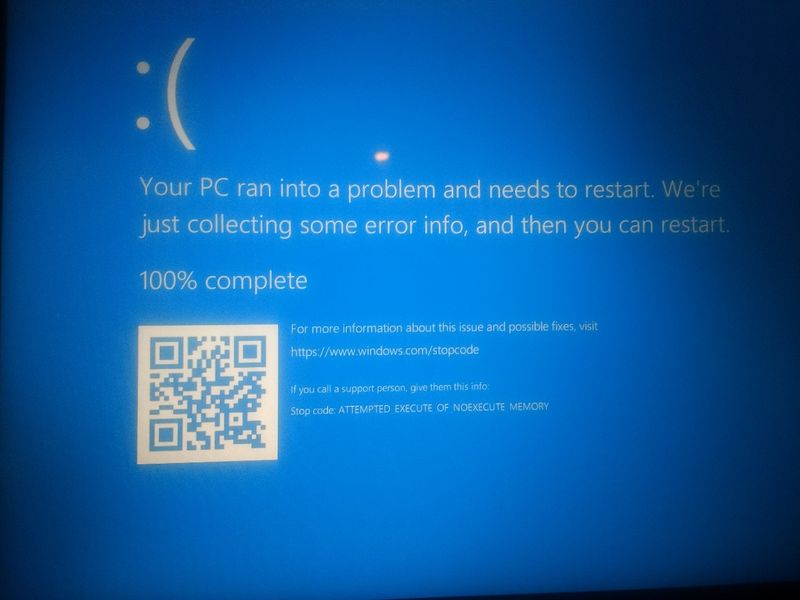
What Causes Blue Screen Error in HP Laptops?
Blue screen errors can happen due to several reasons. Identifying the real cause is the first step toward proper repair.
1. Corrupted or Outdated Drivers
Faulty drivers after a Windows update are one of the most common reasons.
2. RAM Issues
Damaged or loose RAM can trigger system crashes and blue screen errors.
3. Hard Disk Failure
Bad sectors or failing storage devices may cause repeated blue screens.
4. Overheating Problems
Excessive heat affects internal components and may result in system crashes.
5. Virus or Malware Attack
Infected system files can disrupt normal laptop performance.
In many cases, users initially think the display is damaged, but proper inspection through trusted HP Laptop Screen Repair in Patna services helps determine whether it’s a screen issue or a deeper system fault.
Step-by-Step Repair Process
Professional technicians usually follow a structured approach:
-
Error code analysis
-
RAM testing
-
Hard disk health check
-
Driver troubleshooting
-
Windows repair or reinstallation
-
Hardware inspection
If the blue screen appears along with display flickering or panel issues, combined service support like HP Laptop Screen Repair in Patna ensures both software and hardware problems are handled together.
When Should You Seek Professional Help?
You should not ignore repeated blue screens. Seek expert repair if:
-
The laptop restarts again and again
-
Blue screen appears frequently
-
Important data is at risk
-
The laptop becomes very slow
Experienced technicians offering HP Laptop Screen Repair in Patna have proper diagnostic tools to detect motherboard, RAM, or storage-related faults accurately.
How to Prevent Blue Screen Errors
-
Keep drivers updated
-
Avoid installing unknown software
-
Clean internal dust regularly
-
Use genuine antivirus protection
-
Do not ignore overheating
Timely servicing from a trusted center providing HP Laptop Screen Repair in Patna can extend your laptop’s lifespan and maintain smooth performance.
FAQ – HP Laptop Blue Screen Error
Q1. Can a blue screen error be fixed permanently?
Yes, once the root cause (software or hardware) is identified and repaired properly.
Q2. Is blue screen always a hardware issue?
No. It can be caused by software conflicts, driver errors, or virus infections.
Q3. Will my data be safe during repair?
In most cases, data remains safe unless the storage device is severely damaged.
Q4. How long does blue screen repair take?
It depends on the problem. Minor issues can be fixed the same day, while hardware faults may take longer.
Q5. Where can I get reliable HP Laptop Screen Repair in Patna?
Choose an experienced service provider with proper diagnostic facilities and skilled technicians.