
Authorised HP Service Center in Patna
HP laptops are widely used because of their strong performance, sleek design, and reliability. Whether you use your laptop for office work, online classes, or entertainment, the battery and charger play a very important role in keeping your device running smoothly.
However, many HP users often face common battery and charging problems over time. These issues can be frustrating, especially when your laptop shuts down unexpectedly or refuses to charge. In such situations, visiting an Authorised HP Service Center in Patna is the best way to ensure safe and professional repair.
This article will help you understand the most common HP laptop battery and charger issues, their causes, and the right solutions.
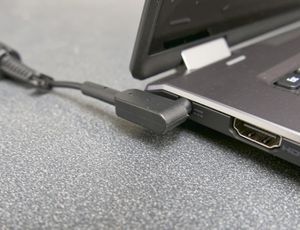
Common HP Laptop Battery Problems
Laptop batteries naturally lose capacity over time, but certain issues may appear suddenly and require attention.
1. Battery Draining Too Fast
If your HP laptop battery drains quickly even after a full charge, possible reasons include:
-
Background apps consuming power
-
Battery age and reduced capacity
-
High screen brightness
-
Faulty battery cells
A technician at an Authorised HP Service Center in Patna can check battery health and recommend the best replacement if needed.
2. Laptop Not Charging Properly
Sometimes, users notice the charger is plugged in, but the battery percentage does not increase. This issue may happen due to:
-
Loose charging port
-
Damaged adapter
-
Software or driver problems
-
Battery malfunction
Instead of trying random fixes, it’s safer to get proper diagnosis from an expert service team.
3. Charger Heating or Sparking
If your charger becomes too hot or shows signs of sparking, stop using it immediately. This may indicate:
-
Internal wire damage
-
Overvoltage issues
-
Duplicate or low-quality charger
Always use original HP adapters, available at an Authorised HP Service Center in Patna.
4. Battery Not Detected Error
Many HP users face the “Battery Not Detected” message. This can occur due to:
-
BIOS issues
-
Loose battery connection
-
Battery reaching end of life
A professional service center can fix such errors without risking your laptop’s motherboard.
5. Laptop Shuts Down Without Warning
Unexpected shutdowns are often linked to battery failure or charger interruption. This issue becomes serious if not repaired early.
A trusted Authorised HP Service Center in Patna can run diagnostic tests and ensure your laptop works smoothly again.
Simple Troubleshooting Tips You Can Try
Before visiting a service center, you may try these basic steps:
-
Restart your laptop and check charging again
-
Update battery and chipset drivers
-
Remove the battery (if removable) and reinsert it
-
Avoid using fake or duplicate chargers
-
Keep the charging port clean
If the problem continues, professional repair is recommended.
Why Professional Repair is Important
Battery and charger issues may seem minor, but they can damage internal laptop components if ignored. Getting repairs from an authorised service center provides many benefits:
-
Genuine HP battery and charger replacement
-
Certified technicians
-
Warranty-backed service
-
Safe diagnostics and repair tools
-
Long-term performance assurance
For complete peace of mind, always choose an Authorised HP Service Center in Patna for HP laptop battery and charging solutions.
Frequently Asked Questions (FAQ)
Q1. How do I know if my HP laptop battery needs replacement?
If your battery drains quickly, does not charge fully, or shows “Replace Battery” warnings, it may need replacement.
Q2. Is it safe to use a local or duplicate charger?
No, duplicate chargers can cause overheating, voltage issues, and damage the laptop. Always use original HP accessories.
Q3. How much time does battery replacement take?
Battery replacement is usually quick and can be done within a few hours at a professional service center.
Q4. Can charging problems damage the motherboard?
Yes, unstable charging or faulty adapters can affect the motherboard, so timely repair is important.
Q5. Where can I get genuine HP battery and charger in Patna?
The safest place is an Authorized HP Service Center in Patna, where you get original parts and expert service.
Conclusion
HP laptop battery and charger issues are common, but they should never be ignored. Whether it is fast draining, charging errors, or adapter problems, professional repair ensures the safety and long life of your laptop.
Instead of taking risks with low-quality accessories or untrained repair shops, always trust experienced technicians for the best solutions. For reliable service, expert support, and genuine replacements, visit an Authorised HP Service Center in Patna today.